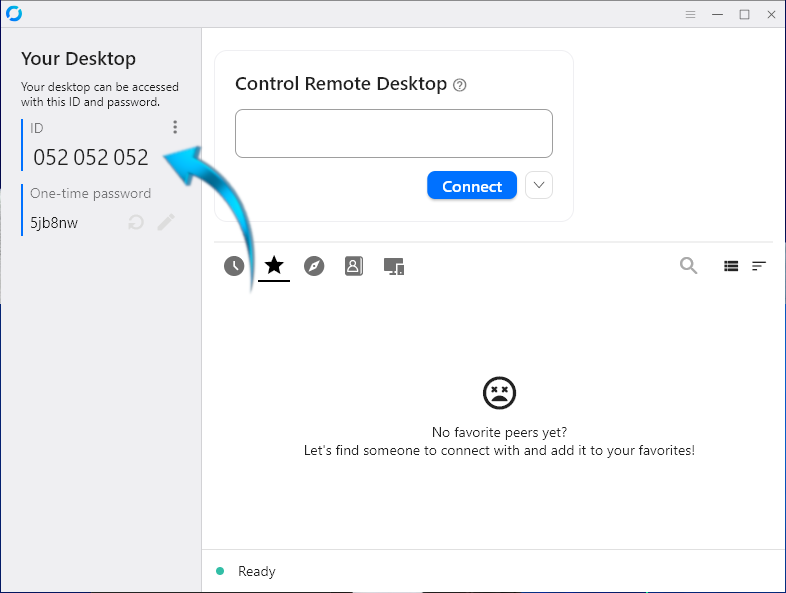
STEP 1
Once RustDesk is installed, click on the 3 dots to add our settings, see the blue arrow below.
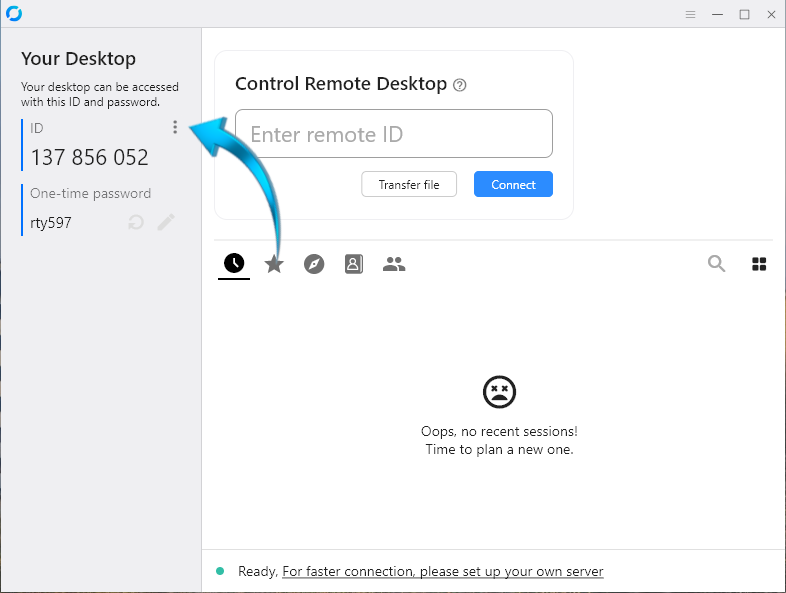
.
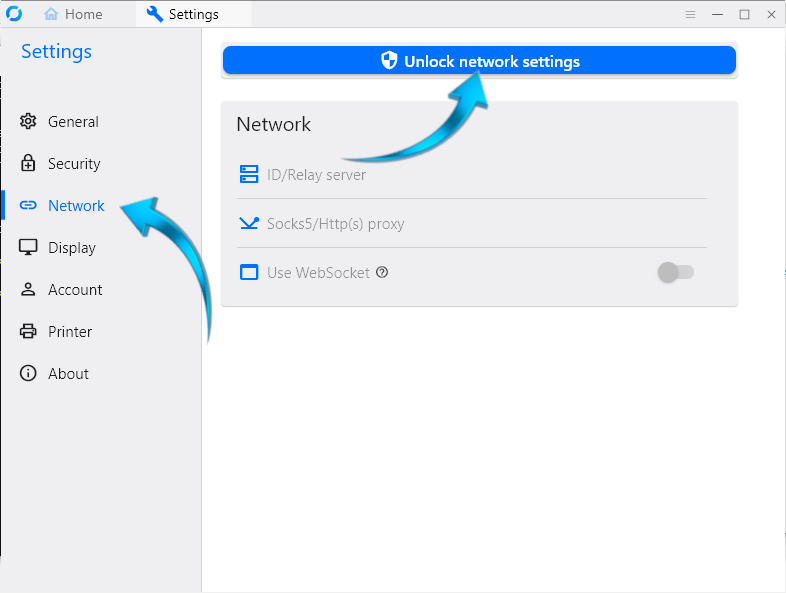
STEP 2
Select Network on the left-hand side, then click the button on top to unlock the settings.
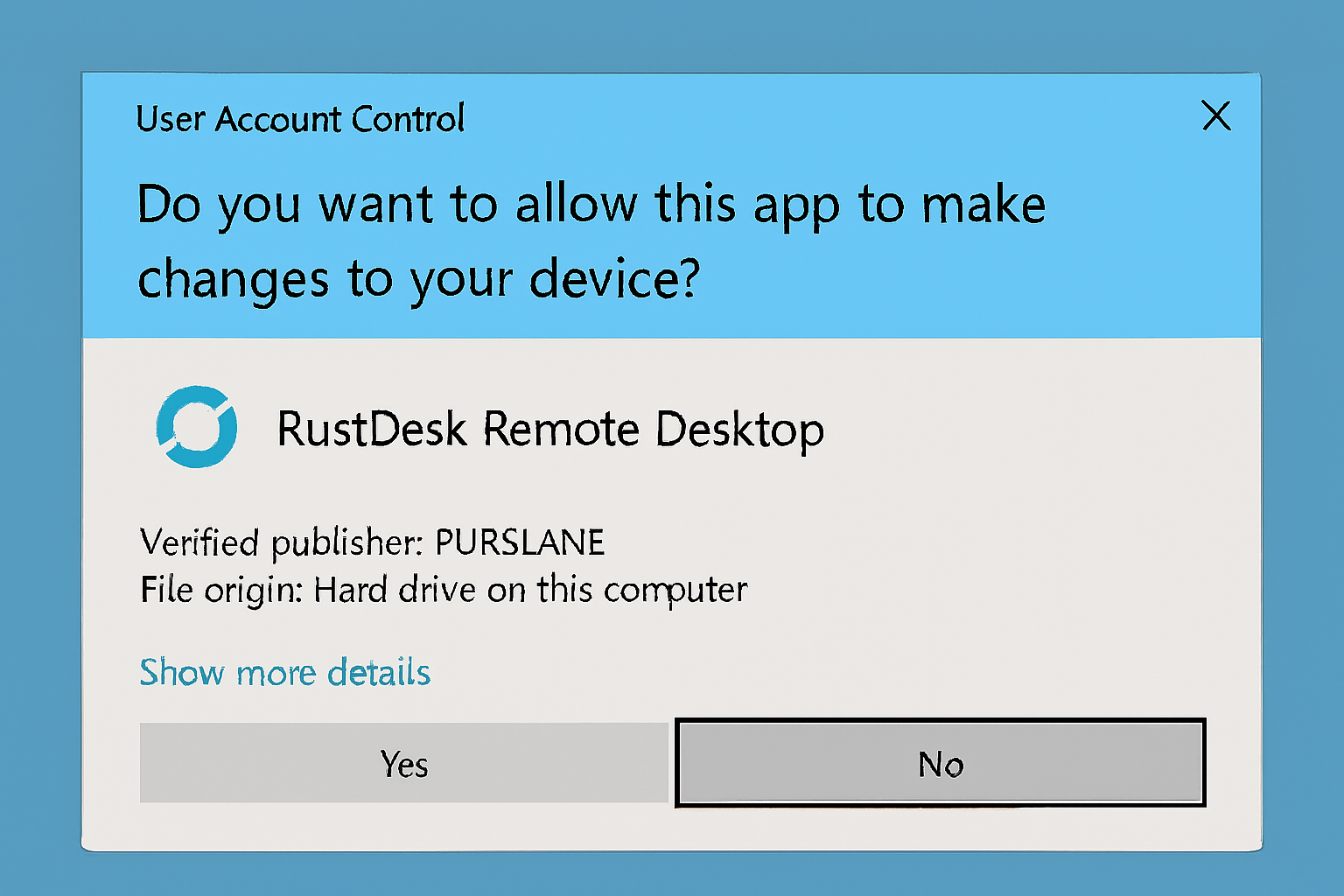
STEP 3
Click yes.
STEP 4
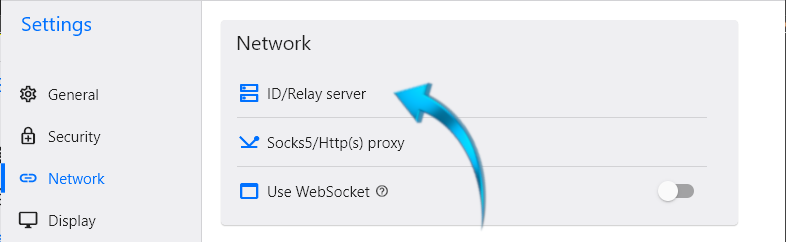
Click on ID/Relay server.
Click anywhere on the text below to copy it to your clipboard.
==Qfi0TROB1NNZjVLdlbrITc05GM2dHSuFUQWF2R0QVWVFGdUlUTtVnaX1WYiljWiojI5V2aiwiIiojIpBXYiwiI4IjMucDMx4SN24CN1EjI6ISehxWZyJCLigjMy4yNwEjL1YjL0UTMiojI0N3boJye
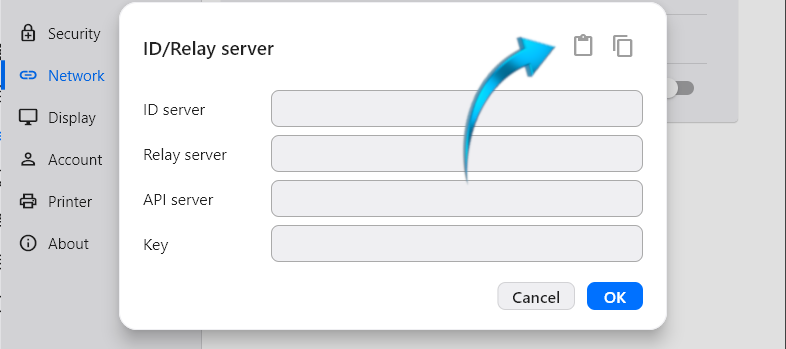
Now paste it using the clipboard button as shown below.
STEP 5
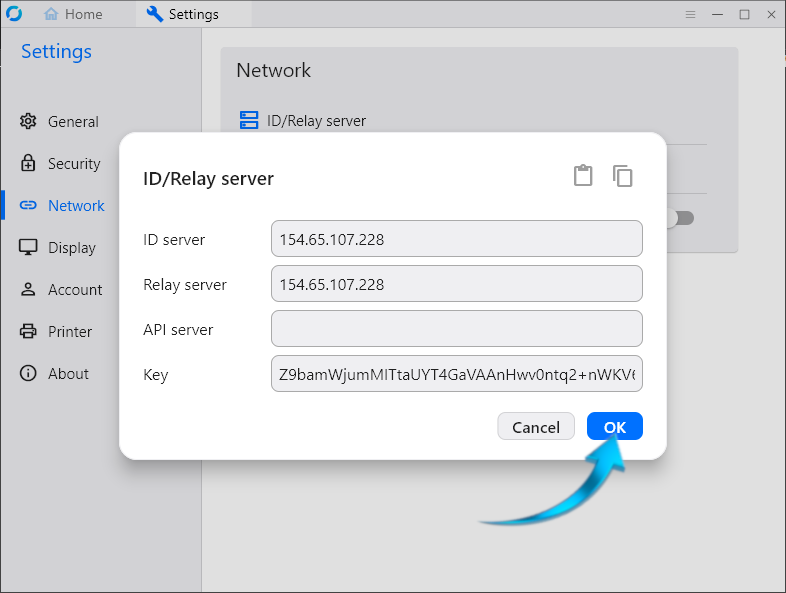
If the code was copied and pasted correctly it should look like the below image. If it was successful, please click the OK button.
STEP 6
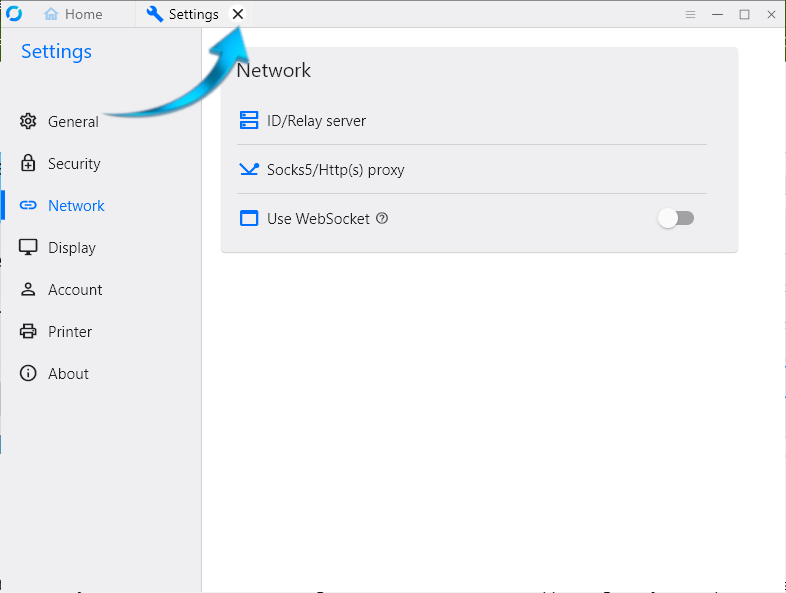
Please close the settings tab.
STEP 7
Send the Nashua Support Engineer your unique ID. This should not be given to anyone else!